
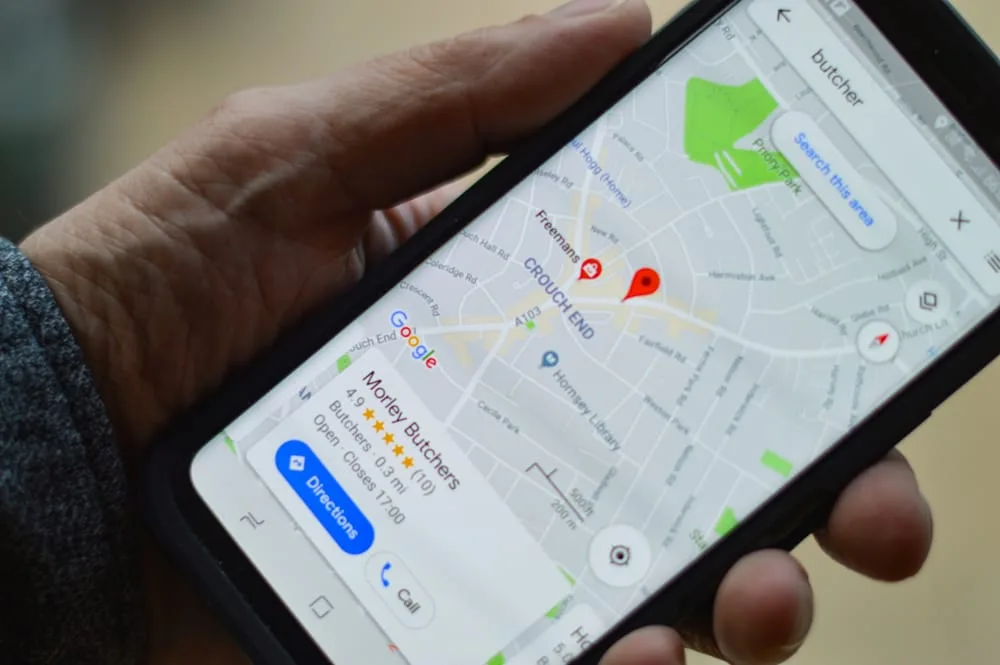
In 2025, local search optimisation is essential for small businesses. If you’re using WordPress, you’re already ahead — it’s SEO-friendly and flexible. But to compete locally, you need to do more than install a few plugins. Here’s how to build a WordPress website that ranks in your area and brings in real local customers. Examples given are things that we might do for Orange Pixel
1. Start With a Solid Foundation
Choose a reliable theme that’s mobile responsive, lightweight, and SEO-friendly. Avoid bloated page builders and slow-loading themes.
Recommended themes for local SEO:
- Avada
- Astra
- Kadence
Bonus tip: Use a quality UK-based hosting provider or a CDN with edge locations in the UK for faster load times in your region.
2. Set Your Local SEO Structure
Go to Settings > General in your WordPress dashboard and make sure your site name and tagline include your business type and location.
Example: Orange Pixel | Web Design in Petersfield, Hampshire
Next, go to Settings > Permalinks and select “Post name” for clean, keyword-friendly URLs.
3. Install Essential Local SEO Plugins
Here are the key plugins to install for effective local SEO:
- Yoast SEO or Rank Math – optimise page titles, meta descriptions, and schema
- LiteSpeed Cache or WP Fastest Cache – for speed optimisation
- WPForms – add lead capture forms
- Redirection – manage 301 redirects and clean URLs
4. Add Local Business Schema
Search engines rely on structured data to understand your business. Use a plugin like Yoast Local SEO or Schema & Structured Data for WP to add:
- Business name
- Address
- Phone number
- Opening hours
- Map URL or embed
This helps you appear in “near me” and Google Maps results.
5. Optimise Each Page for Local Search
Each key page should include:
- The city or town name in headings and paragraph content
- Keywords like “web design Chichester” or “SEO agency Portsmouth”
- Image alt text with location terms
- Internal links with local anchor text
Example: “See our full list of SEO services in Midhurst.”
6. Create Location-Specific Landing Pages
If you serve more than one town or region, create unique pages for each location.
Examples:
- /web-design-havant/
- /seo-services-chichester/
Each page should contain unique content, specific services, testimonials, and local imagery. Do not duplicate text across pages.
7. Use Google Business Profile and Embed Maps
Claim and optimise your Google Business Profile. Make sure your business name, address, and phone number (NAP) match what’s listed on your website.
Embed a Google Map on your contact page or footer to visually reinforce your service area.
8. Mobile Optimisation and Page Speed
Most local visitors are browsing on mobile devices. Use tools like PageSpeed Insights or GTmetrix to check for:
- Fast page loading
- Optimised images
- Simple, mobile-friendly layouts
A slow website may lead to lost business.
9. Add Local Reviews and Testimonials
Use real testimonials from clients in your service area. These build trust and signal relevance to search engines.
Example:
“Orange Pixel redesigned our site and helped us reach more clients in Portsmouth.”
If possible, link to external review platforms like Google Reviews for extra credibility.
10. Track Local Performance
Use Google Search Console and Google Analytics 4 to monitor:
- Keywords that include locations
- Pageviews on local service pages
- Conversions by traffic source
Additional tools like BrightLocal or Ubersuggest can help track local keyword rankings over time.
Suggested Unsplash Image Searches
Use unsplash.com or similar free stock image website (like pexels.com or pixabay.com) of these search terms to find a high-quality, relevant image for your landing page or blog post:
Summary Checklist
| Task | Description |
|---|---|
| Theme | Use a fast, SEO-optimised theme |
| Permalinks | Set to “Post name” for clean URLs |
| Plugins | Yoast or Rank Math, cache plugin, schema |
| Local Pages | One unique page per service area |
| Schema | Add LocalBusiness structured data |
| Google Profile | Claimed and consistent with site |
| Mobile Speed | Optimise layout and images |
| Reviews | Use local testimonials |
| Analytics | Track local keyword performance and conversions |


